<!doctype html>
<html lang="en">
<head>
<meta charset="utf-8">
<meta name="viewport" content="width=device-width, initial-scale=1">
<title>README.md - +/HIP @ v1.0</title>
<meta name="description" content="README.md in +/HIP at v1.0.">
<meta property="og:title" content="README.md - +/HIP @ v1.0">
<meta property="og:description" content="README.md in +/HIP at v1.0.">
<meta property="og:type" content="website">
<meta property="og:site_name" content="git.julia.blue">
<link rel="stylesheet" href="/css/style.css?v=62">
<script type="module" src="/js/main.js?v=62"></script>
</head>
<body>
<main data-ref="v1.0" data-tip="b9df0d7437f5c52648bd073a1ff49d96244ddc85">
<noscript>
  <div class="callout">
    <p>
      hey! this is a static git repo viewer. commit diffs, file history,
      older commits and other revisions won't load without javascript.
    </p>
    <p>
      you are still able to view source files on branch/tag tips,
      but the experience is degraded.
    </p>
  </div>
</noscript>
<header class="repo"><div>
<h1>+/HIP</h1>
<p class="desc">hexagonal iso-path game</p>
</div>
<pre class="clone">git clone https://git.julia.blue/+/HIP</pre>
</header>
<p class="snapshot-commit"><span class="commit-author">Joseph Ryan</span><span class="commit-message" data-commit="b9df0d7437f5c52648bd073a1ff49d96244ddc85">Add replay saving, loading, and viewing</span><span class="snapshot-sha sha" data-commit="b9df0d7437f5c52648bd073a1ff49d96244ddc85">b9df0d7</span><time datetime="2017-08-22T13:45:14-04:00" title="2017-08-22 13:45:14 -0400">2017-08-22</time></p>
<header class="topbar"><details class="switcher"><summary>v1.0</summary><div class="menu"><strong>branches</strong><a href="/%2B/HIP/ref/master/">master</a><strong>tags</strong><a class="current" href="/%2B/HIP/ref/v1.0/">v1.0</a><a class="all" href="/%2B/HIP/refs">all refs →</a></div></details><nav class="crumbs"><a href="/%2B/HIP/">HIP</a> / <span class="cur">README.md</span></nav>
<span class="view-stats"><span>1.2 KiB</span><span>20 lines</span></span><span class="actions"><a class="raw" href="/%2B/HIP/raw/ed09016d14677d36b49ed7a0c426f03555122992/README.md">raw</a></span></header>
<div class="markdown-view"><input type="radio" name="markdown-view" id="markdown-rendered" checked><label for="markdown-rendered">rendered</label><input type="radio" name="markdown-view" id="markdown-code"><label for="markdown-code">code</label><section class="readme rendered"><h1>Hexagonal Iso-Path</h1>
<p><img src="/%2B/HIP/raw/7db4b13695a61b524378699323a57cdc11d3a6f5/assets/blue.png" alt="" /></p>
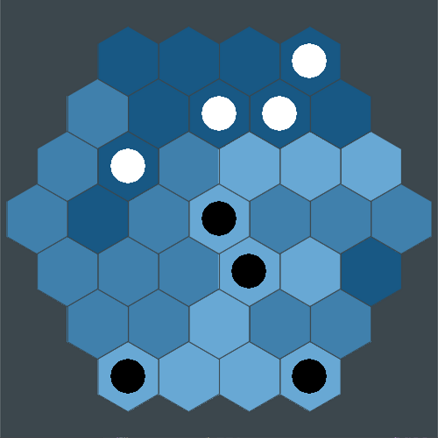
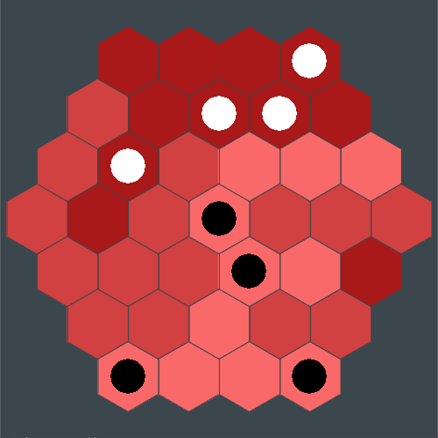
<p>HIP is an interesting board game created by youtuber <a href="https://www.youtube.com/user/pocket83">pocket83</a>. Watch <a href="https://www.youtube.com/watch?v=Wz6q03b8R6U">this video</a> to see his explanation of the game, its rules, and how to make a physical version from scratch. Huge thanks to Red Blob Games for <a href="http://www.redblobgames.com/grids/hexagons">this tutorial</a> on hex grid coordinate systems, my original approach would have been disgustingly inelegant.</p>
<h2>Dependencies</h2>
<p>Requires python 2.7 and pygame</p>
<p><img src="/%2B/HIP/raw/2ea263b9184c9e948dc88e974db22a0984c57675/assets/red.png" alt="" /></p>
<h2>Usage</h2>
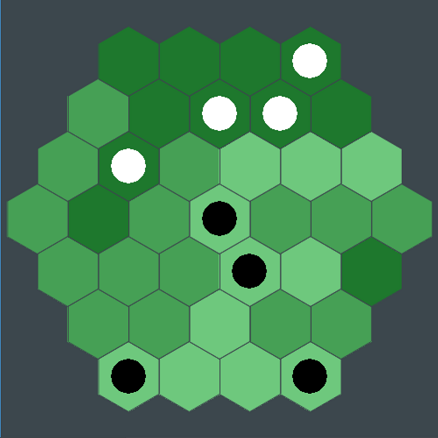
<p>Edit <code>config.py</code> to change settings, and run <code>main.py</code> to play the game. All colors/sizes/fonts are adjustable. At the end of each game a replay is saved to the /replays/ folder. They are named by timestamp so they should stay in order, but I suggest renaming ones that you don't want to lose regardless. To view a replay pass it as an argument to <code>main.py</code> (e.g. <code>python main.py replays/sample.replay</code>). To control the replay use the left and right arrow keys or space/return and backspace/esc.</p>
<p><img src="/%2B/HIP/raw/126dc2dbd46fcd03840f827fbf059d0712552c8d/assets/green.png" alt="" /></p>
<h1>Rules</h1>
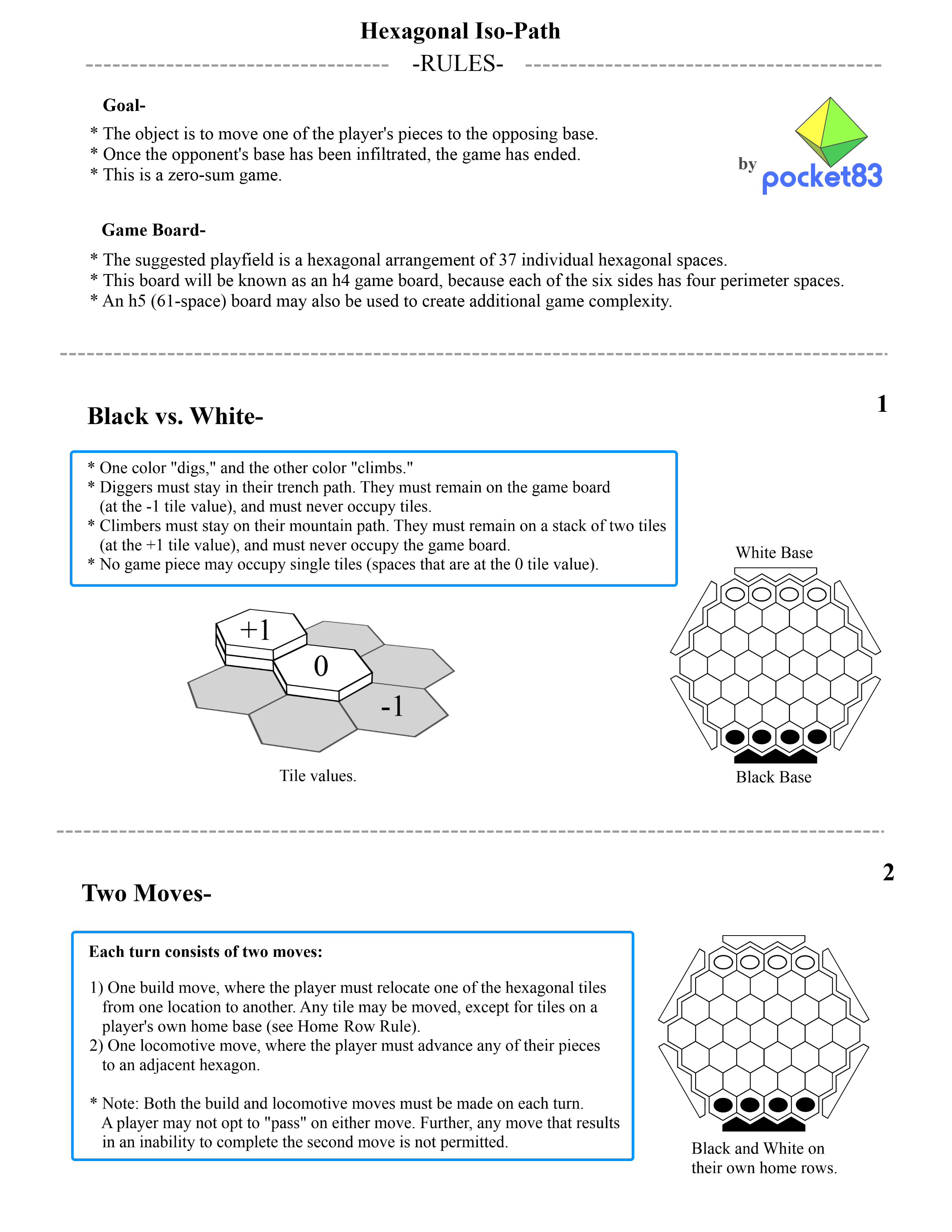
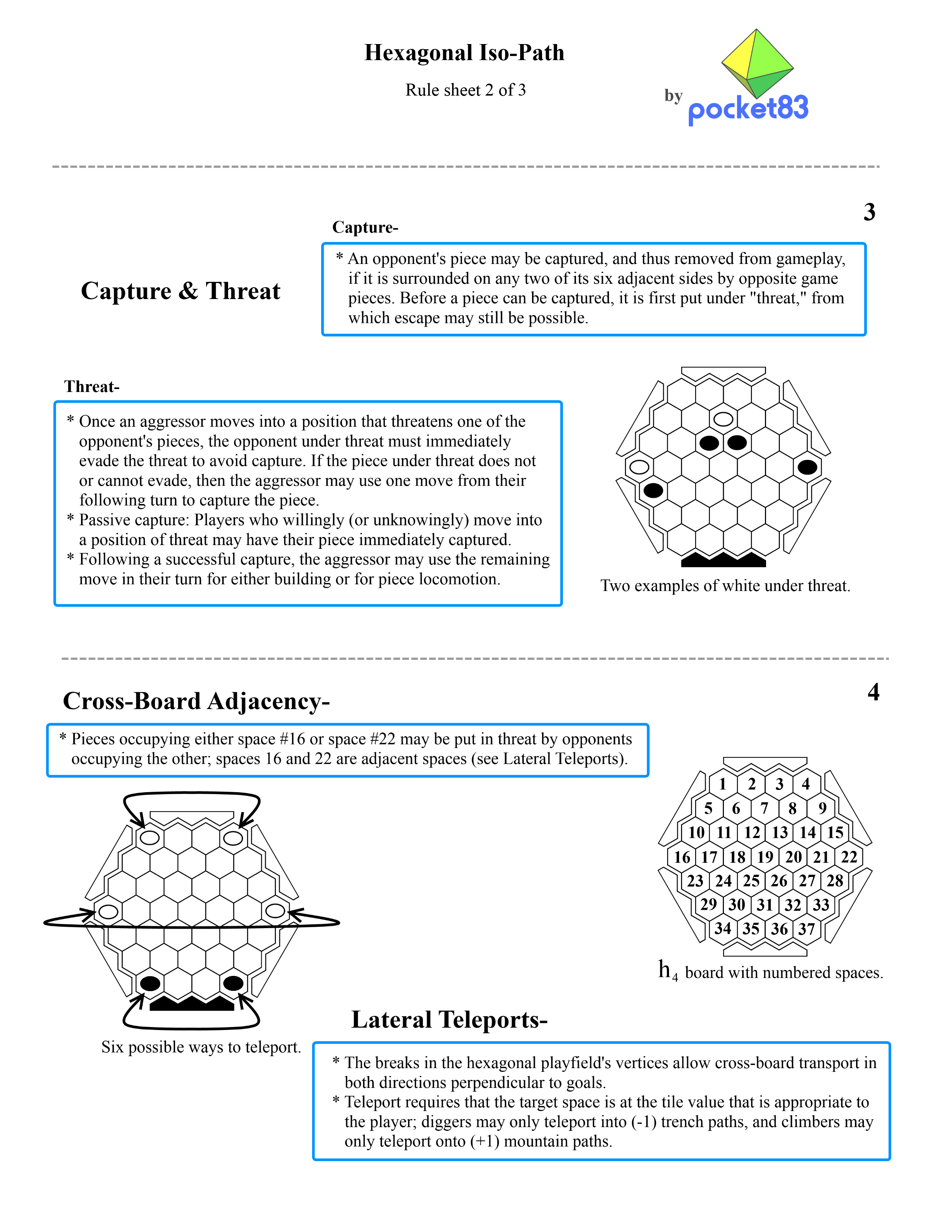
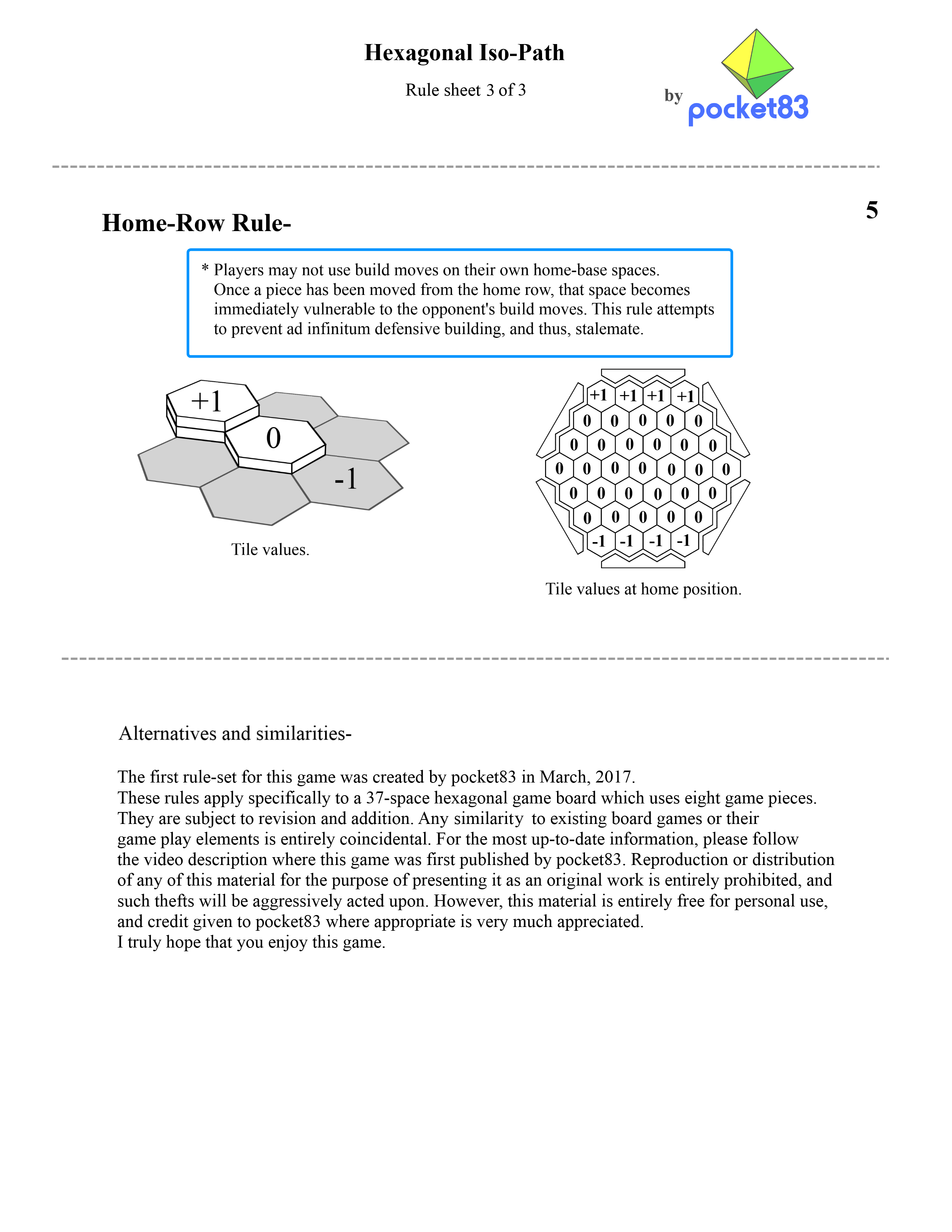
<p>(all images created by pocket83) <img src="/%2B/HIP/raw/c3b4eaaa70ee9323b9ea8608dce2c9ba851b00e0/assets/ruleSheet1.png" alt="" /> <img src="/%2B/HIP/raw/25b45ee334aa32115224a6020c3baceca6cc86d6/assets/ruleSheet2.png" alt="" /> <img src="/%2B/HIP/raw/2a85aec0b27186343e4304e565e1d3ece058ba49/assets/ruleSheet3.png" alt="" /></p>
</section><div class="code-panel"><pre class="code src language-markdown"><span class="code-line"><a class="ln" id="L1" href="#L1">1</a><span class="code-text"><a-p>#</a-p> <a-tt>Hexagonal Iso-Path</a-tt></span><span class="code-break">
</span></span><span class="code-line"><a class="ln" id="L2" href="#L2">2</a><span class="code-text">![](assets/blue.png)</span><span class="code-break">
</span></span><span class="code-line"><a class="ln" id="L3" href="#L3">3</a><span class="code-text"></span><span class="code-break">
</span></span><span class="code-line"><a class="ln" id="L4" href="#L4">4</a><span class="code-text">HIP is an interesting board game created by youtuber [pocket83](https://www.youtube.com/user/pocket83). Watch [this video](https://www.youtube.com/watch?v=Wz6q03b8R6U) to see his explanation of the game, its rules, and how to make a physical version from scratch. Huge thanks to Red Blob Games for [this tutorial](http://www.redblobgames.com/grids/hexagons) on hex grid coordinate systems, my original approach would have been disgustingly inelegant.</span><span class="code-break">
</span></span><span class="code-line"><a class="ln" id="L5" href="#L5">5</a><span class="code-text"></span><span class="code-break">
</span></span><span class="code-line"><a class="ln" id="L6" href="#L6">6</a><span class="code-text"><a-p>##</a-p> <a-tt>Dependencies</a-tt></span><span class="code-break">
</span></span><span class="code-line"><a class="ln" id="L7" href="#L7">7</a><span class="code-text"></span><span class="code-break">
</span></span><span class="code-line"><a class="ln" id="L8" href="#L8">8</a><span class="code-text">Requires python 2.7 and pygame</span><span class="code-break">
</span></span><span class="code-line"><a class="ln" id="L9" href="#L9">9</a><span class="code-text"></span><span class="code-break">
</span></span><span class="code-line"><a class="ln" id="L10" href="#L10">10</a><span class="code-text">![](assets/red.png)</span><span class="code-break">
</span></span><span class="code-line"><a class="ln" id="L11" href="#L11">11</a><span class="code-text"></span><span class="code-break">
</span></span><span class="code-line"><a class="ln" id="L12" href="#L12">12</a><span class="code-text"><a-p>##</a-p> <a-tt>Usage</a-tt></span><span class="code-break">
</span></span><span class="code-line"><a class="ln" id="L13" href="#L13">13</a><span class="code-text"></span><span class="code-break">
</span></span><span class="code-line"><a class="ln" id="L14" href="#L14">14</a><span class="code-text">Edit `config.py` to change settings, and run `main.py` to play the game. All colors/sizes/fonts are adjustable. At the end of each game a replay is saved to the /replays/ folder. They are named by timestamp so they should stay in order, but I suggest renaming ones that you don&#39;t want to lose regardless. To view a replay pass it as an argument to `main.py` (e.g. `python main.py replays/sample.replay`). To control the replay use the left and right arrow keys or space/return and backspace/esc.</span><span class="code-break">
</span></span><span class="code-line"><a class="ln" id="L15" href="#L15">15</a><span class="code-text"></span><span class="code-break">
</span></span><span class="code-line"><a class="ln" id="L16" href="#L16">16</a><span class="code-text">![](assets/green.png)</span><span class="code-break">
</span></span><span class="code-line"><a class="ln" id="L17" href="#L17">17</a><span class="code-text"></span><span class="code-break">
</span></span><span class="code-line"><a class="ln" id="L18" href="#L18">18</a><span class="code-text"><a-p>#</a-p> <a-tt>Rules</a-tt></span><span class="code-break">
</span></span><span class="code-line"><a class="ln" id="L19" href="#L19">19</a><span class="code-text"></span><span class="code-break">
</span></span><span class="code-line"><a class="ln" id="L20" href="#L20">20</a><span class="code-text">(all images created by pocket83) ![](assets/ruleSheet1.png) ![](assets/ruleSheet2.png) ![](assets/ruleSheet3.png)</span></span></pre></div></div>
</main>
</body>
</html>